
AI-assisted journaling

A sticker journal with an AI companion—not an AI replacement

Mochi can help arrange the page. It cannot decide what your day meant. Niello keeps that boundary visible.

Mochi, Niello's AI companion, helping decorate a journal page
01

Ask for a starting layout when the blank page feels heavy

02

Keep editing every element after the suggestion

03

Use AI for momentum while preserving your own voice

Field note 01

The best role for AI is helping you begin

Blank pages create a strange kind of pressure. You may remember the day clearly and still not know where the first photo should go. Niello’s AI companion, Mochi, is designed for that moment: it can suggest a page arrangement so you have something concrete to react to.

A suggestion is not a verdict. Move the photo. Remove a sticker. Rewrite the title. The page becomes personal through those decisions. AI is useful here because it reduces setup work, not because it authors the memory.
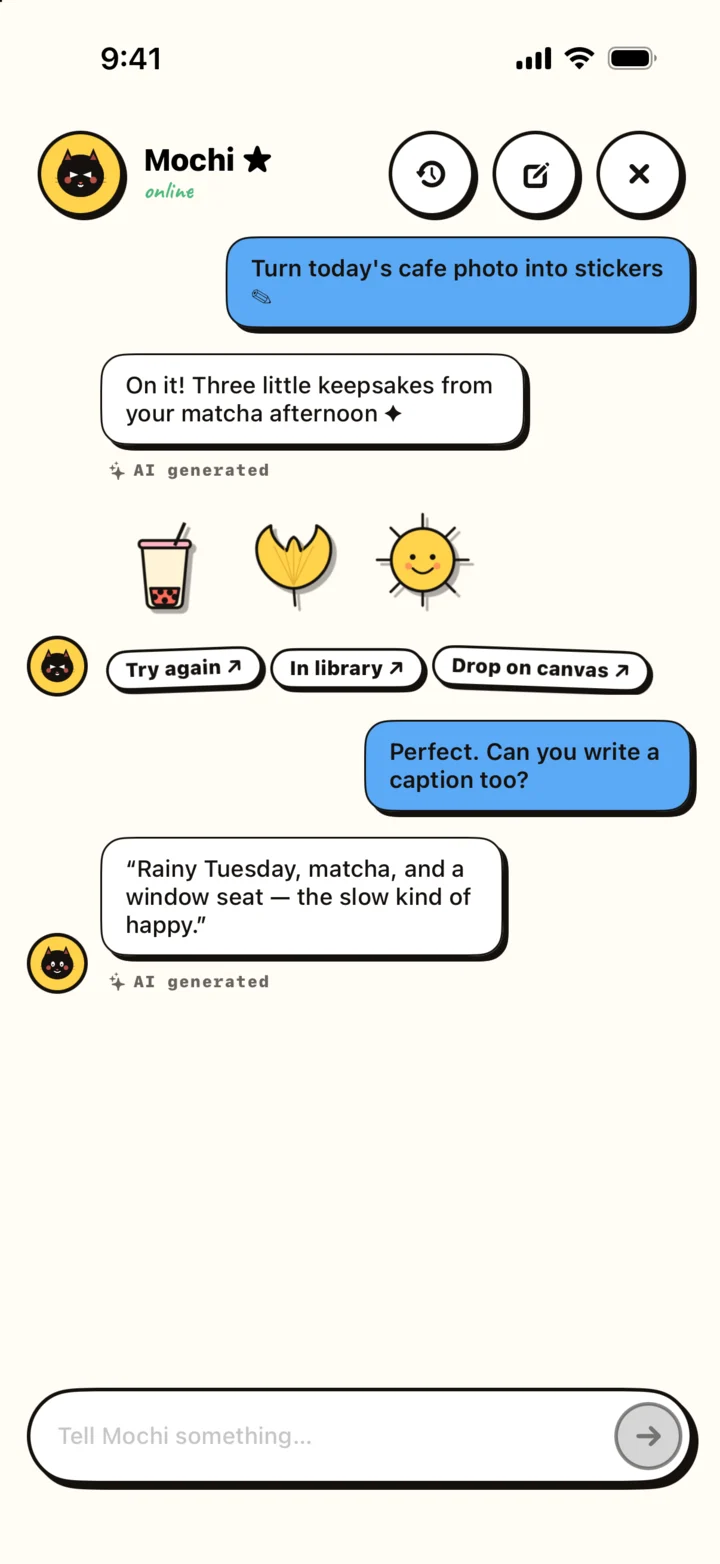
Chat-style Mochi interface in Niello
A prompt starts the layout; your edits give it character.
Field note 02

Prompts that describe a feeling, not a finished design

You do not need design vocabulary. Describe the atmosphere you want and the material you have. “A quiet rainy café page with room for two sentences” is more helpful than listing coordinates. “Playful but not crowded” gives Mochi a useful boundary.

After the first result, make one focused change at a time. Ask for more breathing room, a warmer arrangement, or space for an extra photo. Small iterations keep you involved and make the result easier to understand.

  • Name the moment: Sunday market, first day of a trip, late-night study session.
  • Name the mood: calm, bright, nostalgic, messy, celebratory.
  • Name the constraint: one photo, short note, lots of white space.
  • Finish manually: adjust scale, position, color, and wording yourself.
Field note 03

Keep authorship where it belongs

A journal is valuable because it preserves your attention. If an assistant invents the emotional conclusion, smooths away uncertainty, or fills every space, the page may look complete while feeling less true.

Use Mochi for structure and visual play. Keep names, reflections, private context, and the final wording in your own hands. A slightly uneven page that sounds like you will age better than a polished page that could belong to anyone.

Questions

Useful before you begin

Will Mochi write my journal for me?

Mochi is positioned as a layout companion. Your words and the meaning of the memory remain yours.

Can I change the suggested layout?

Yes. Treat every suggestion as a starting point. Continue moving, resizing, adding, or removing elements in the page editor.

What should I include in a layout request?

Describe the moment, mood, number of photos, and how much room you want for writing. Plain language is enough.

Make one small page today

Start with one photo and the sentence only you can add. The rest can stay simple.

Download Niello