
Notice one moment
Choose the photo that would lose its meaning without you. Ordinary is welcome.
Niello is a private photo journal for iPhone and iPad. Turn everyday photos into personal stickers, shape a page with your own words, and let Mochi help when the blank canvas gets in the way.
NEW IN 1.7
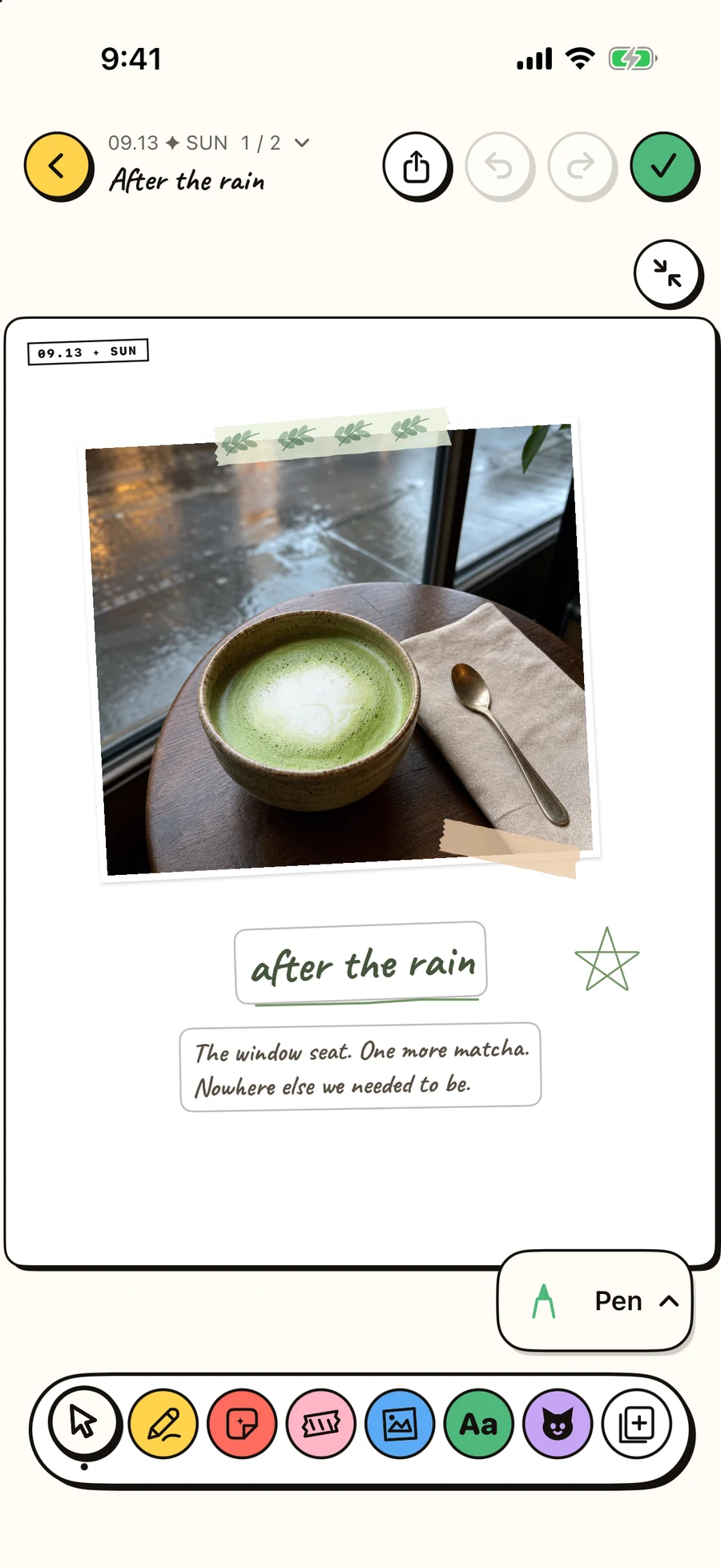
Draw on the paper, layer washi tape over a photo, and move a line of text into place. On iPad, two portrait pages open together.
The whole workflow
You do not need to narrate your life or design a masterpiece. Niello helps one moment become a complete page before the details fade.
Choose the photo that would lose its meaning without you. Ordinary is welcome.
Add your words, turn a detail into a sticker, or ask Mochi for a layout starting point.
Save a finished page you can recognize later—not another isolated camera-roll tile.
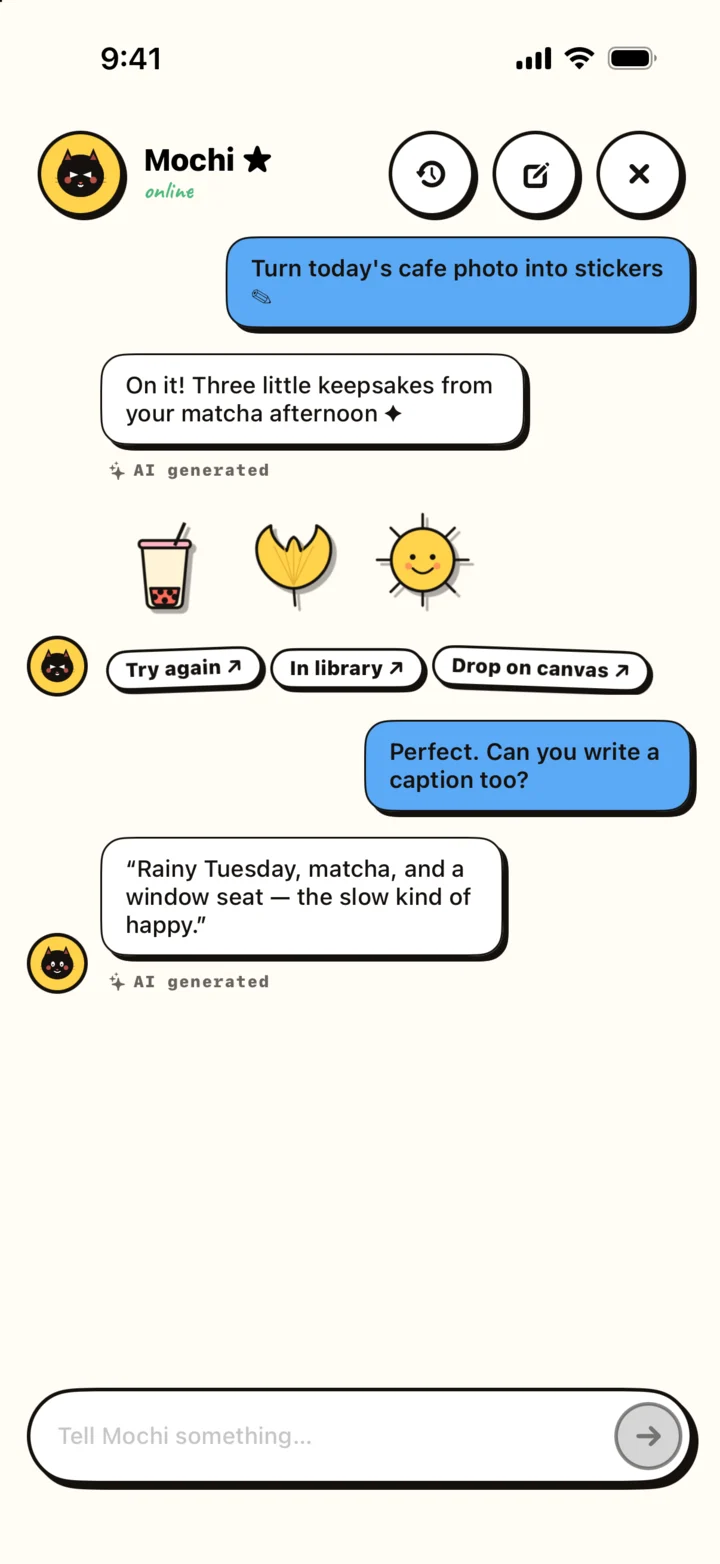
AI with a smaller job
Describe the mood, the photos, and how much room you want for writing. Mochi can give you a starting arrangement. Then move it, simplify it, or ignore it. Your words and final choices stay in charge.
Choose your way in
Start from the workflow that already sounds like you. The same page can be simple today and more expressive tomorrow.
Use Niello on iPhone to turn everyday photos into personal stickers, then place them on a journal page with words, color, and context.
Explore →AI-assisted journalingExplore an AI sticker journal workflow where Mochi helps with playful layout ideas while your photos, words, and memories stay in charge.
Explore →Digital scrapbookingMake a digital scrapbook on iPhone or iPad with photos, personal stickers, writing, and flexible page layouts—without buying supplies or cleaning a desk.
Explore →Photo journalingBuild a visual journal from everyday photos, short reflections, personal stickers, and page layouts that preserve more than a chronological camera roll.
Explore →Journaling on iPadPlan and compose visual journal pages on iPad with room for precise photo, sticker, and text placement, plus an Apple Pencil-friendly creative workflow.
Explore →AI page layoutsUse Niello's AI layout companion to get past the blank page, then refine the photo, text, sticker, spacing, and hierarchy yourself.
Explore →Made for iPad, too
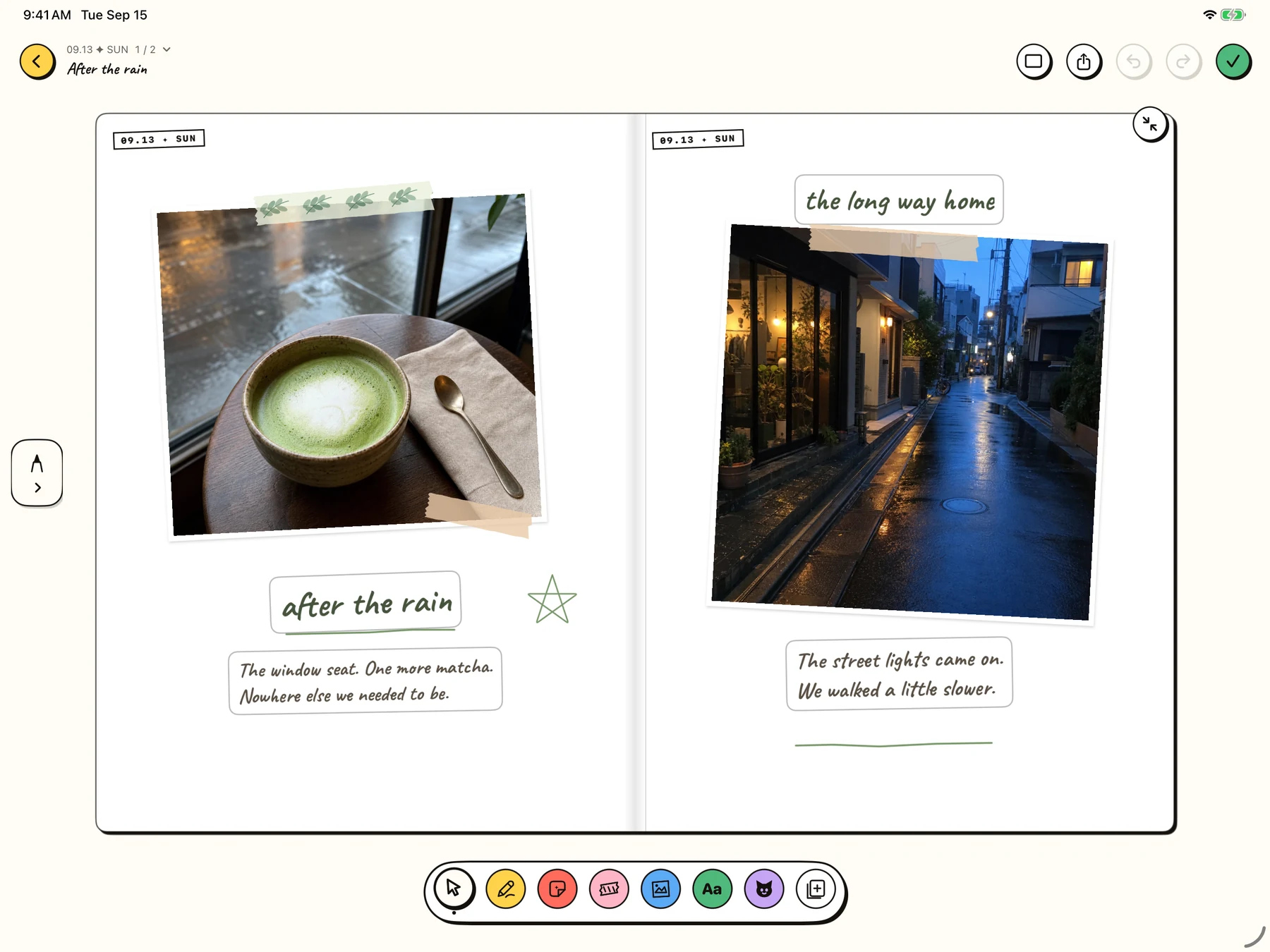
A café moment on the left, the walk home on the right. In Niello 1.7, two portrait pages sit side by side on iPad, with room for photos, tape, drawings and the words you want to keep.
Explore the iPad workflow →Niello field notes
Keep a small afternoon: the window seat, one more matcha, and the walk home. Build the page around one photograph, then add only what helps you remember.
Read guide →Draw on the paper, layer washi tape over a photo, and move a line of text into place. On iPad, two portrait pages open together.
Read guide →A practical, step-by-step workflow for choosing a photo, making a personal sticker in Niello, placing it on a journal page, and writing the context that makes it meaningful.
Read guide →Twenty-five specific photo journal prompts for ordinary days, grouped into small details, people, places, rituals, change, and reflection—with practical page advice.
Read guide →Compare digital scrapbooking and photo journaling by purpose, time, layout, writing, review, and creative effort—then use a simple test to choose or combine them.
Read guide →Give each page a small job. A café moment on the left, the walk home on the right, and enough paper around both to let the memory breathe.
Read guide →A journal should make room for the unpolished thought, the small worry, and the photo you never intended to publish. Niello is designed as a personal space, not a social performance.
Read the privacy policyEntries live as recognizable pages and a visual journal history. The goal is to reopen a season and remember the context—not to keep you refreshing a feed.
See the photo journal approachOne photo. One detail only you noticed. One page that future-you can still enter.
Download Niello free