
Make a journal page with photos, washi tape and a few pen strokes
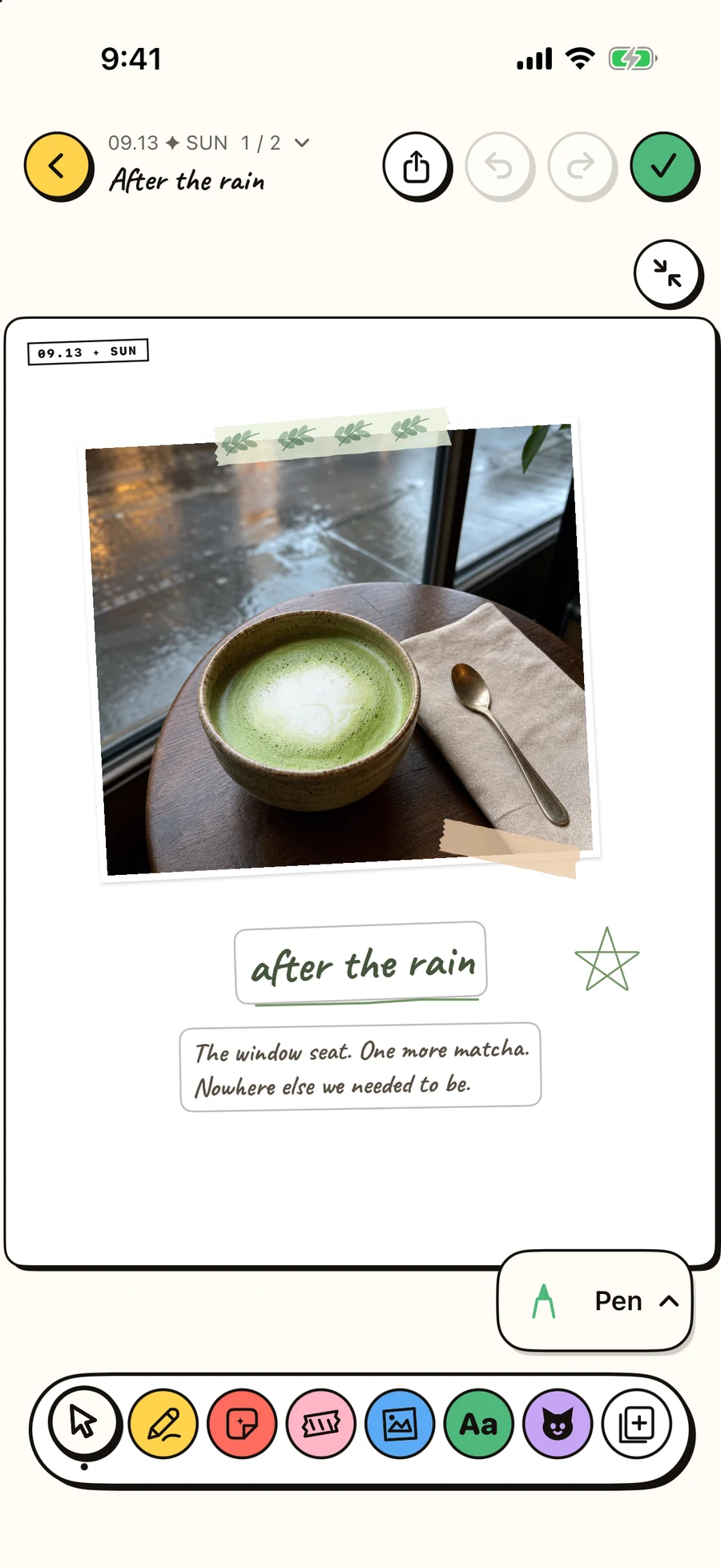
Keep a small afternoon: the window seat, one more matcha, and the walk home. Build the page around one photograph, then add only what helps you remember.
The short version
- Use washi tape to hold a corner
- Leave a few marks with the drawing tools
- Place the sentence where it belongs
Start with one photograph
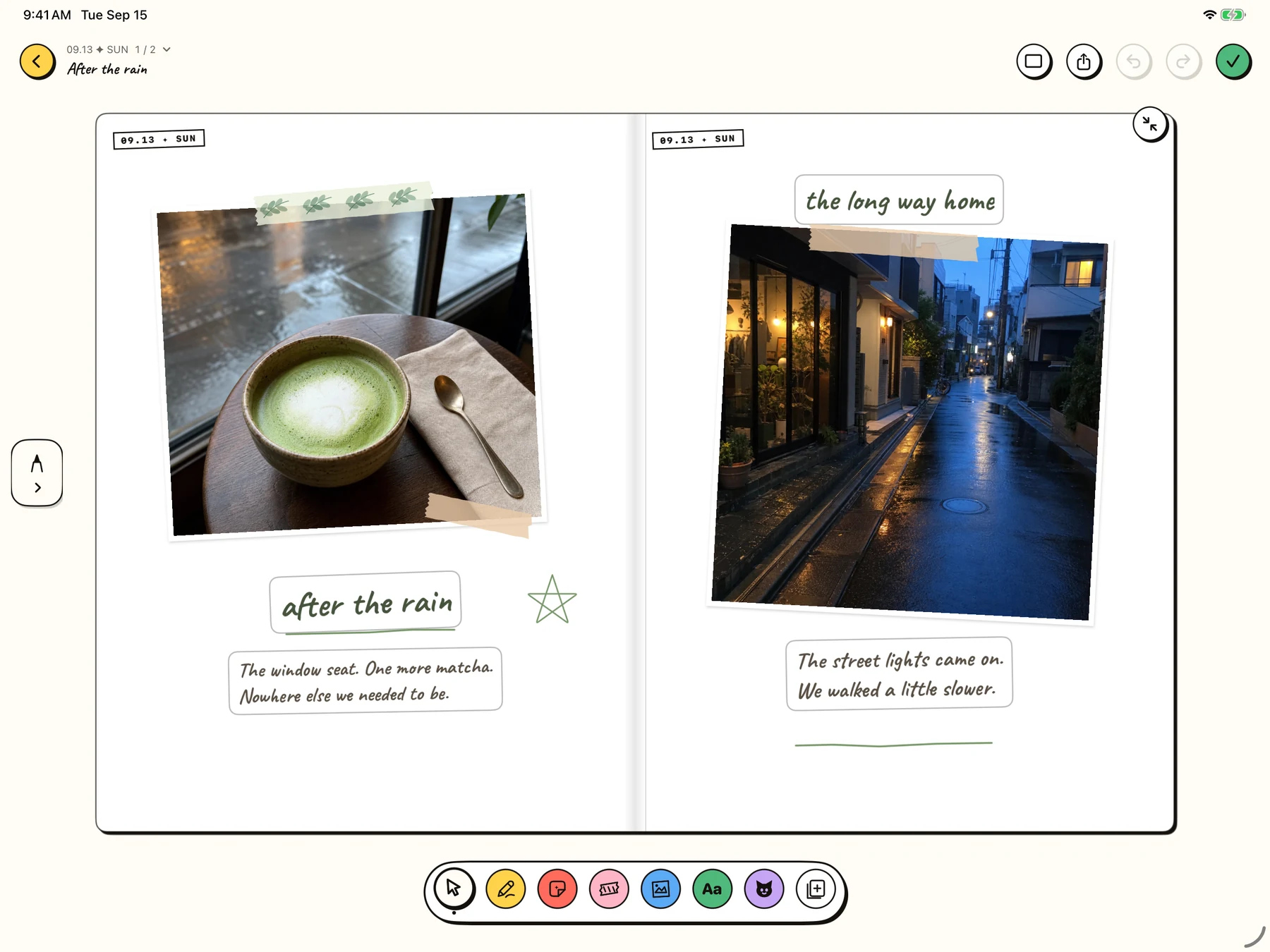
Open a journal page and choose Photo in the bottom toolbar. Add a photo you want to remember. Move and resize it until it leaves room for a short title and two sentences. In this example, the green of the matcha sets the colors for the rest of the page.
Use washi tape to hold a corner
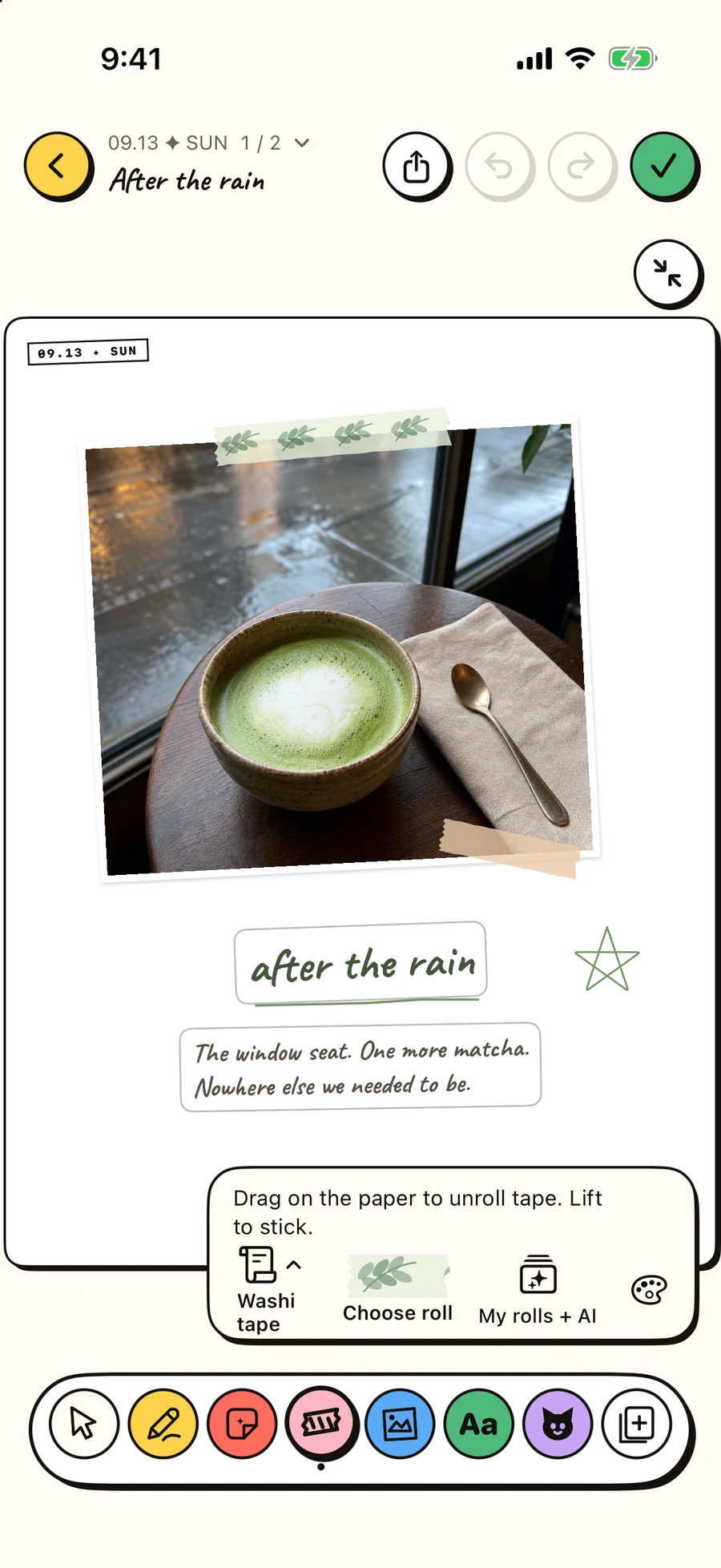
Choose Tape and pick a roll. Drag on the paper to unroll a strip, then lift your finger to stick it. Start with a short piece across one photo edge. Match its color to something in the photograph. A slight angle feels relaxed; several competing patterns can make a small page difficult to read. Select an existing strip to edit its appearance again.
Leave a few marks with the drawing tools
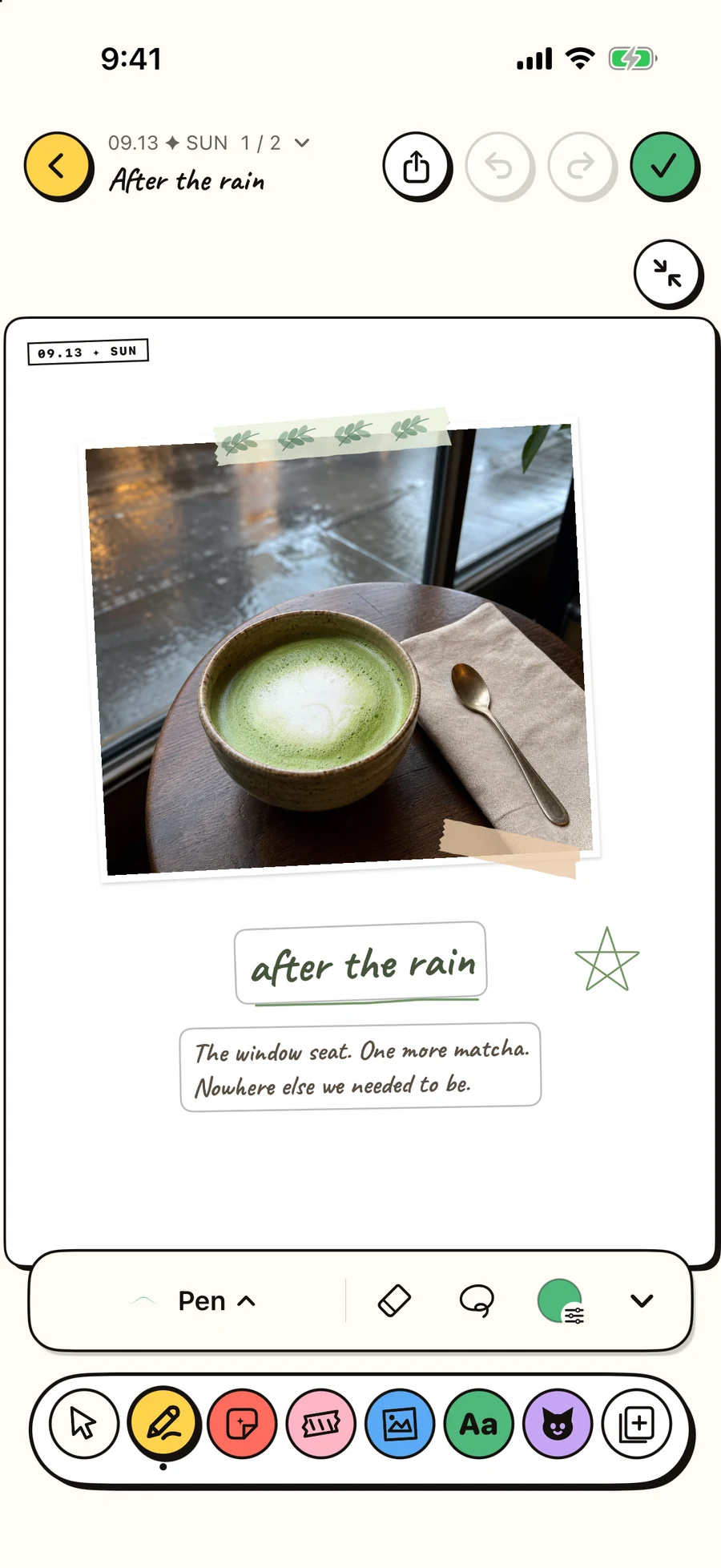
Choose Draw, then choose a brush, color and thickness. Underline the title or draw one small star in the margin. Use Undo if a mark feels too heavy. Switch back to Arrange when you want to move a photo, tape or text instead of drawing on the paper.
Place the sentence where it belongs
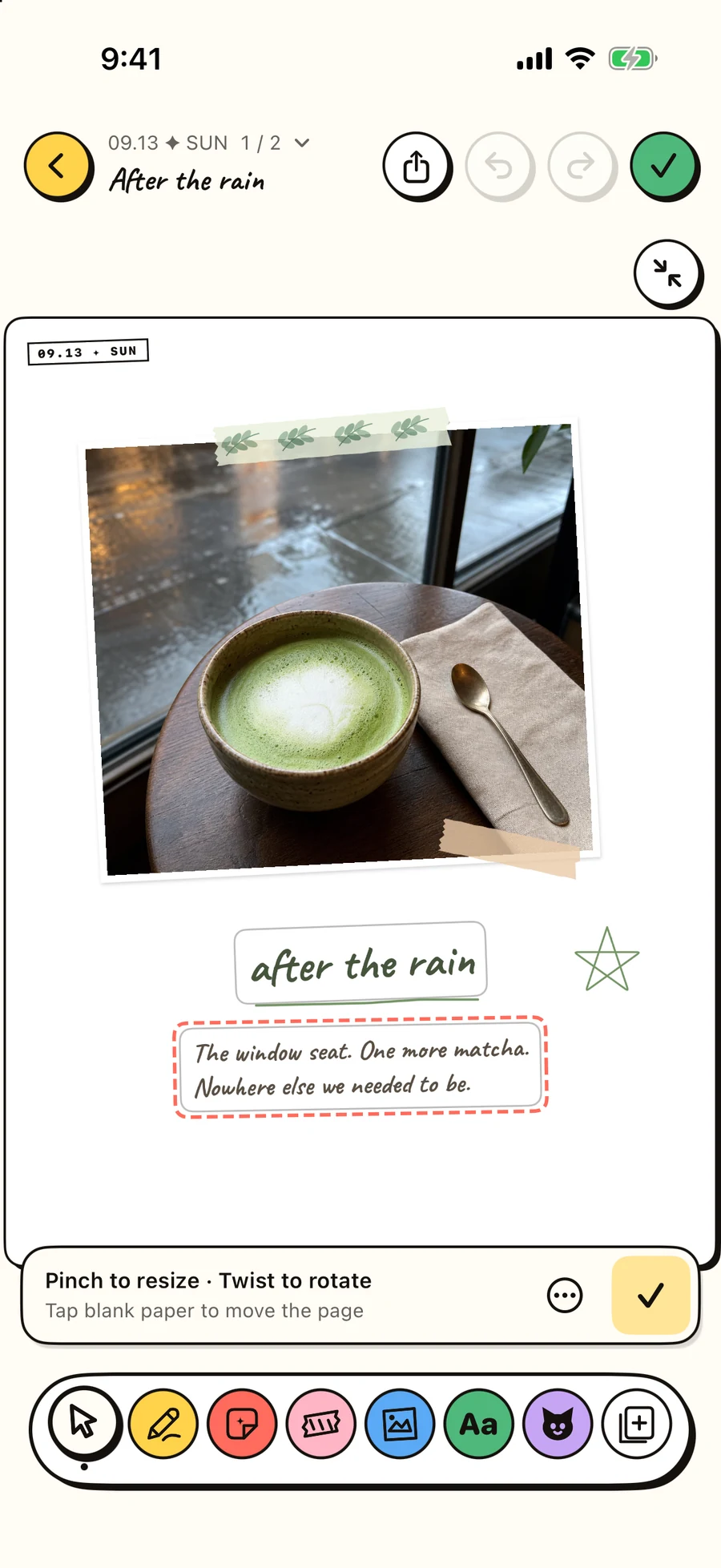
Choose Text and tap the paper to add a text block. Write something the photograph cannot tell you: “Nowhere else we needed to be.” Move the block beside the image or below the title, and adjust its size and angle. Keep the words clear at the full-page view.
Let a second page continue the story
On iPad, use Add page to create another page in the same journal. Tap the book icon (Facing pages) in the top toolbar to see the portrait sheets side by side. Try a second photo from later in the day, or leave the new page for tomorrow. The example pairs the café with the rain-soaked street on the walk home.
Look at the whole page before finishing
Return to Arrange and look at the full composition. Check that the photo leads, the text is readable and the tape supports the image. Remove a mark that only fills space. Finish, return to the journal, and reopen the page to enjoy the result. You can keep editing later.